Skip to content

Door-to-Door Sales Operations Software

Every Knock. Every Deal. One App.

KnockerOps gives door-to-door and field sales teams one place to manage rep activity, visits, follow-ups, and results — with every knock stamped by GPS at the door.

Prefer to look around first? Create a company account and explore a demo workspace.

knockerops.com/manage/mapSample data
Search name, phone, address, claim #, rep…

Knock map

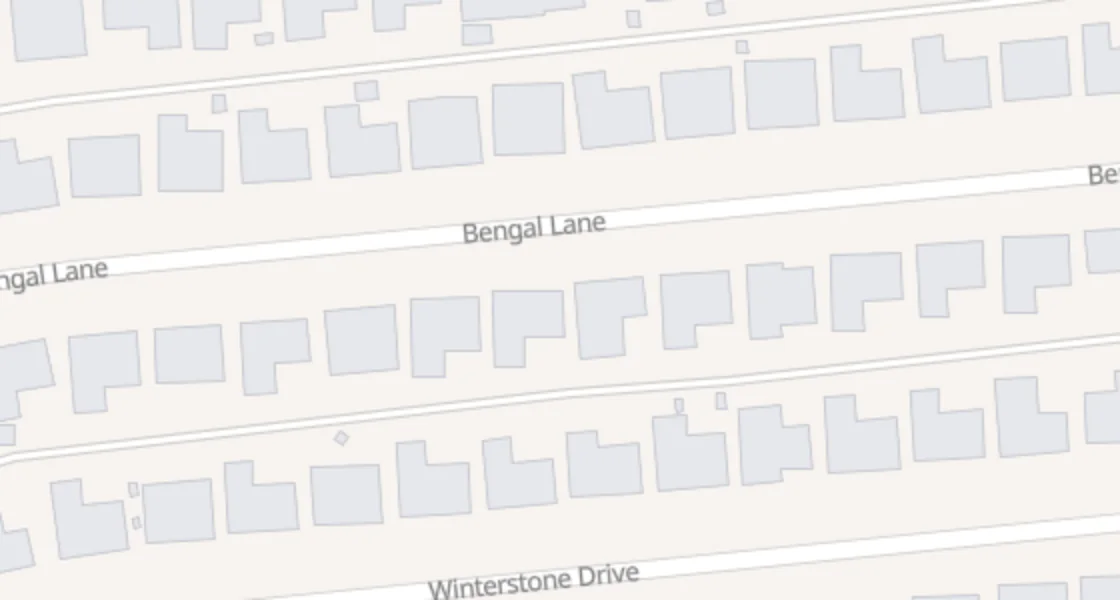
One dot per address, on its building. Blue pins are each rep’s most recent knock today; reps are not tracked between knocks.

Ready to knockAll historyAll 36Eligible now 9Follow-ups due 4Appointments 3No answer 13Do not disturb 2
Riley R.Knocking now

Last knock 4 min ago · ±5 m (good)

31 doors · 12 answers · 7 inspections

Sam S.Knocking now

Last knock 12 min ago · ±6 m (good)

27 doors · 10 answers · 5 inspections

Jamie D.Active this hour

Last knock 41 min ago · ±8 m (good)

22 doors · 9 answers · 4 inspections

How to read a dot

  • Do not disturb
  • Active claim
  • Customer
  • Appointment scheduled
  • Active opportunity
  • Follow-up needed
  • Not interested
  • No answer
  • Open
  • A workflow for your industry
  • Runs on any phone — no app store
  • Works without signal, syncs later
  • Location only when a rep presses Knock

The problem

Field sales is hard to manage without visibility.

  • Reps work across large territories

    Once a crew leaves the lot, the office only knows what reps remember to report.

  • Nobody is sure what happened at each property

    Was it knocked? Did anyone answer? The details live in someone’s memory.

  • Activity is scattered

    Notes apps, group texts, paper and spreadsheets each hold one piece of the picture.

  • Location and results are disconnected

    A map pin says where. A spreadsheet row says what. Neither tells the whole story.

  • Follow-ups get missed

    The person who said “come back Thursday” is the easiest sale to lose.

The product

KnockerOps gives your team one system for every knock.

The rep app records the visit; the dashboard shows it to the office seconds later. Nothing to re-type at the end of the day.

01

Knock map

One dot per address, placed on the building automatically. Each dot shows where the address stands and whether it should be knocked now, with each rep’s latest knock as a blue pin. Switch between an aerial photo and a street map with every building outlined.

02

Door-to-door workflow

A guided sequence of large buttons at the door. Reps tap an outcome and move on — no forms they do not need. Tapped the wrong one? Back takes it back.

03

Property visit logging

Each visit keeps its GPS point, a map snapshot of the spot, the address, the outcome and a timeline.

04

Follow-ups and leads

Contact details and call-back dates are saved on the visit and land on a follow-up list for the rep and the office.

05

Knocker Dots

Every address knows when it should be worked again. No answer waits a few days and tries a different time of day. Interested gets a follow-up call. Customers and do-not-disturb addresses are kept out of canvassing. Tap any dot for its full history.

06

Manager reporting

Doors, answers, outcomes and conversion rates by rep and by period. Team reporting and CSV export come with the Team, Company and Knock packages.

07

CRM included

Leads, contacts, accounts and a pipeline the knock fills in, with tasks, a team calendar, quotes the customer accepts online, texts (from the rep’s own phone) and emails, two-way Google Calendar, automation and reports. In Starter, Team and Company at no extra cost, and in the free demo.

How it works

Five taps from the front door to the office.

The rep app, screen by screen, for a roofing team. Every team gets the same simple flow; the steps after the door opens follow your industry — see the industries.

  1. 1

    Knock

    One button at the door. KnockerOps stamps the time, takes a fresh GPS fix and saves a map snapshot of the spot — even with no signal. The address is looked up for you; correct it with one tap if GPS picked the house next door.

  2. 2

    Answer, No answer or Do not disturb

    One tap. Do not disturb marks the address for your whole company: the dot turns red and the app refuses a knock there until a manager clears it. Not interested or no answer only rests the door for the times you set.

  3. 3

    Record what happened

    Someone answered: book the next step, not interested, or come back on a date you pick. Tapped the wrong one? Back takes the answer back and asks again.

  4. 4

    Record the result

    For a roofing team, the inspection: damage, not enough damage or no storm damage. Solar books the appointment here; pest control gives the estimate. It is saved against the address, so the next visit starts with the history.

  5. 5

    Add what your industry needs

    The last step is your own. A roofing team records the homeowner and the insurance claim; others save the contact and the appointment. Only what the job needs — never card or bank details.

From the door to the deal

Every knock feeds the pipeline.

The door workflow fills in the CRM for you, so nothing is typed twice.

  1. 1 →

    Knock

    The rep presses Knock at the door: the time, the GPS point and a map snapshot are saved.

  2. 2 →

    Contact

    Someone answers, and their name, phone and email are saved on the visit.

  3. 3 →

    Follow-up

    A call-back date lands on the rep’s follow-up list and the office’s.

  4. 4 →

    Opportunity

    An inspection, appointment or estimate booked at the door opens an opportunity on the pipeline board.

  5. 5

    CRM

    Tasks, the team calendar, quotes, messages and the customer’s timeline carry it to the sale.

Knock, contact, follow-up and the whole pipeline come with Starter, Team and Company, and with the free demo. No add-on to buy. Only need knocking? Knock is $29 a rep.

See what the CRM adds →

For managers

See every knock as it is recorded.

Knocks appear on the dashboard as they are recorded, so the office works from what happened — not from an end-of-day recap.

Active reps
Who has knocked in the last hour, and who has gone quiet.
Last-known knock location
Each rep’s most recent knock on the map, with its GPS accuracy.
Knock history
Every door a rep knocked today, in order.
Houses visited
Each property with its snapshot, outcome and previous visits.
Outcomes at every step
Who was interested, what was booked and what was sold — in the terms your industry uses.
Performance metrics
Doors, contacts and conversions for every rep.

How location works. KnockerOps reads a phone’s location at the moment a rep presses Knock — not in the background. The map shows where work happened and when; it does not follow people between doors.

1424 Sample Ridge Dr, Sample City, TX

Claim

Riley R. · Answer → Inspection → Damage → Claim

  1. 2:41 PM — Knocked · GPS ±5 m
  2. 2:42 PM — Answered
  3. 2:44 PM — Inspection selected
  4. 3:02 PM — Inspection: damage
  5. 3:09 PM — Claim started · Sample Mutual
  6. 3:10 PM — Follow-up scheduled
Sample data.

Reporting

Turn field activity into performance insights.

The same taps that record the visit feed the reports. Compare periods and compare reps; export to CSV on the Team, Company and Knock packages.

  • Doors knocked
  • Answers
  • Leads
  • Appointments
  • Sales
  • Rep-by-rep reporting
  • Conversion rates
knockerops.com/manage/reportsSample data
Search name, phone, address, claim #, rep…

Reports

Last 7 days · compared with the 7 days before

Export CSV
TodayYesterdayThis week7 days30 daysThis monthCustom

Contact rate

39%

answers ÷ doors

Inspection rate

57%

inspections ÷ answers

Damage rate

43%

damage ÷ completed inspections

Claim rate

44%

claims ÷ damage

Funnel

  1. Doors knocked640
  2. Answers25139% of prev.
  3. Inspections14257% of prev.
  4. Damage found6143% of prev.
  5. Claims2744% of prev.
  6. Sales1452% of prev.

Daily activity

DoorsAnswers

Ready to run your field team with more visibility?

We will walk you through KnockerOps with your own workflow in mind. Or set up a company account now and try it in a demo workspace.

Every Knock. Every Deal. One App.